
Fast setup
Save remotes once, test them from the UI, and stop copying long SSHFS commands into Terminal.
Native macOS mount manager
Stop rebuilding fragile mount commands. macFUSEGui gives macOS teams a focused macFUSE GUI for SSHFS, with per-remote controls, Keychain-backed credentials, diagnostics, and recovery after sleep or network changes.
Choose the right guide below, download the latest build, and keep Apple Silicon and Intel installs on a clean, repeatable path.
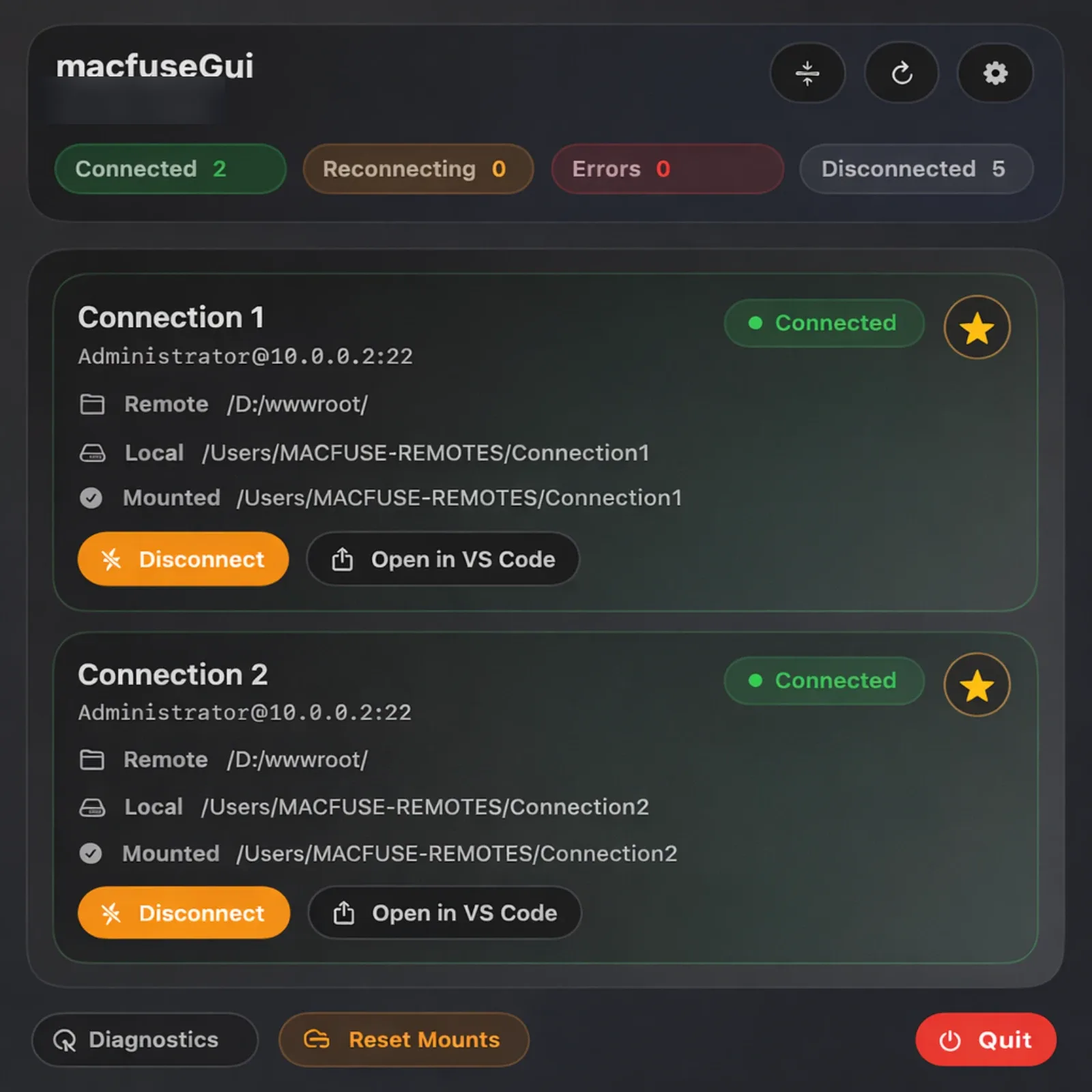
Finder-first SSHFS
macFUSEGui keeps each remote visible, reconnectable, and diagnosable from the menu bar, so sleep, stale mounts, and hand-built SSHFS commands stop running the workflow.
The site is organized around the exact problems people search for: understanding the product, comparing SSHFS GUI workflows, getting installed fast, and fixing failed mounts.
Understand how macFUSEGui fits above macFUSE and sshfs on macOS.
Compare a GUI-first SSHFS workflow on macOS with manual shell commands.
Go from prerequisites to a working macFUSEGui mount on macOS.
Fix install, auth, mount-point, and recovery problems with macFUSEGui.
The app sits above macFUSE and sshfs so remote folders behave like normal macOS directories in Finder, editors, and daily workflows.
Save remotes once, test them from the UI, and stop copying long SSHFS commands into Terminal.
Desired remotes recover after sleep, wake, Wi-Fi changes, and external unmount events.
Passwords live in macOS Keychain while non-secret remote settings stay in JSON.
Connect or disconnect one mount without blocking other active remotes.
Copy environment checks, remote states, and recent logs before you start guessing.
Mounted folders open cleanly in Finder and the app's editor-plugin flow.
Install macFUSE and sshfs first, then pick the correct build for your CPU architecture and complete the one-time macOS approval flow.
Homebrew Cask
Use the tap + cask path for repeatable installs and updates.
brew tap ripplethor/macfusegui https://github.com/ripplethor/macfuseGUI && brew install --cask ripplethor/macfusegui/macfuseguiTerminal Installer
Fetch the latest release installer and let the script choose the right artifact.
/bin/bash -c "$(curl -fsSL https://raw.githubusercontent.com/ripplethor/macfuseGUI/main/scripts/install_release.sh)"Manual DMG
Download the correct DMG for your Mac and drag the app into Applications.
macFUSEGui does not replace macFUSE or sshfs. It manages them. Install both before you expect a stable SSHFS mount on macOS.
If your setup already uses the Homebrew core formula, you can
also test
brew install sshfs
after macFUSE is installed.
brew install --cask macFUSE
brew install gromgit/fuse/sshfs-mac
Apple Silicon Macs use
arm64. Intel Macs use
x86_64. Confirm your
architecture first so you do not debug the wrong build.
On the release page, choose the DMG that ends with
-macos-arm64.dmg or
-macos-x86_64.dmg.
uname -mPick an install method
Use Homebrew, the one-line installer, or the direct DMG depending on how much automation you want.
Open from Finder once
Right-click or Control-click the app and choose Open so macOS records the first-launch approval.
Approve in Privacy & Security
If macOS blocks the app, use System Settings > Privacy & Security and choose Open Anyway.
macFUSEGui is the control plane. macFUSE provides the filesystem layer, sshfs handles the transport, and the app manages the workflow around both.
~/Library/Application Support/macfuseGui/remotes.json.
Quick answers for setup, security, reliability, and the difference between a macFUSE GUI and raw SSHFS commands.